
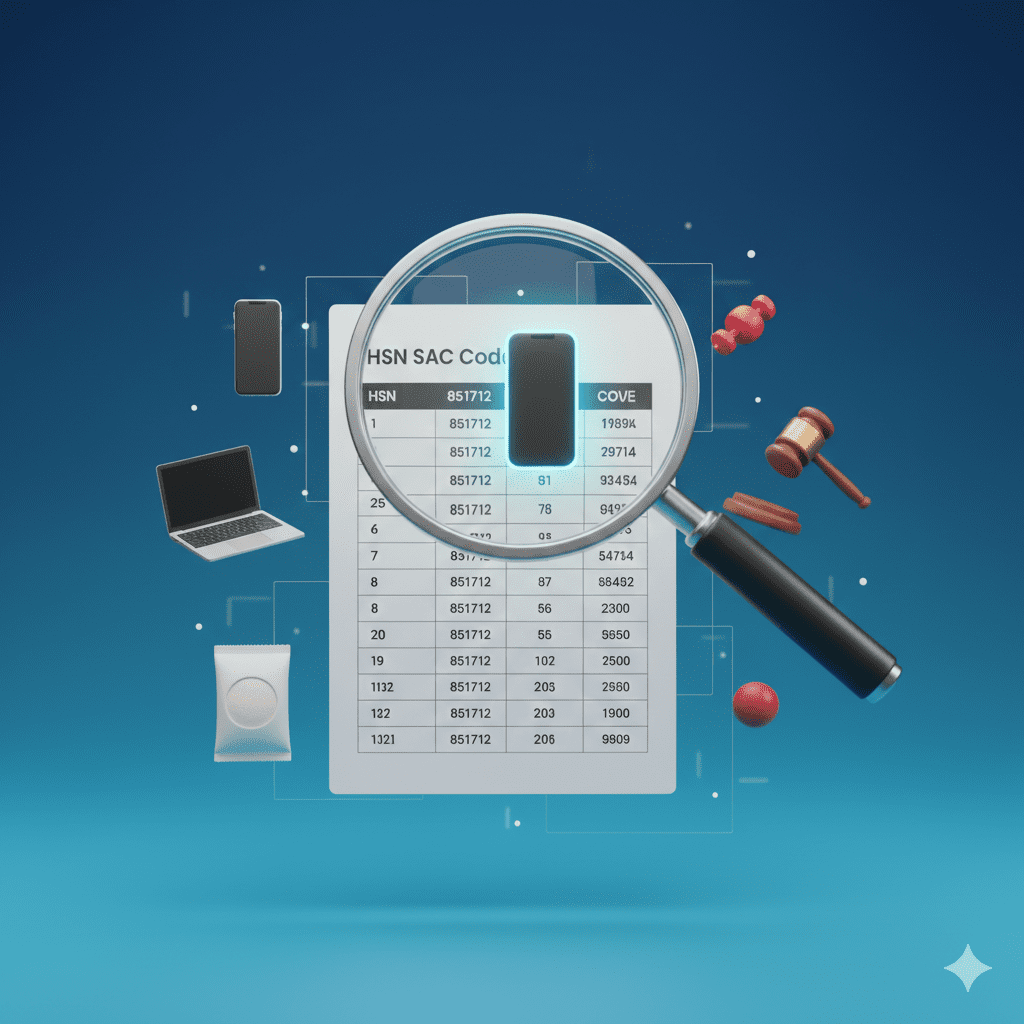
Meet Vikram, who runs a small online business selling “ayurvedic hair oil” and “herbal shampoo.” He’s been using the same HSN code for both—but recently, a customer’s ITC was rejected because his hair oil should be classified under cosmetics (different rate) while shampoo under “preparations for hair” (another rate). Now he faces a ₹47,000 tax demand.
You’re not alone. Wrong HSN/SAC codes are among the top 5 reasons for GST notices, according to CBIC data. With over 12,000 HSN codes and 500+ SAC codes, finding the right one feels like searching for a needle in a haystack.
But here’s the truth: getting the code right isn’t just compliance—it’s money. Wrong code means:
-
Wrong tax rate (pay too much or too little)
-
ITC denied to your customers (who will then refuse payment)
-
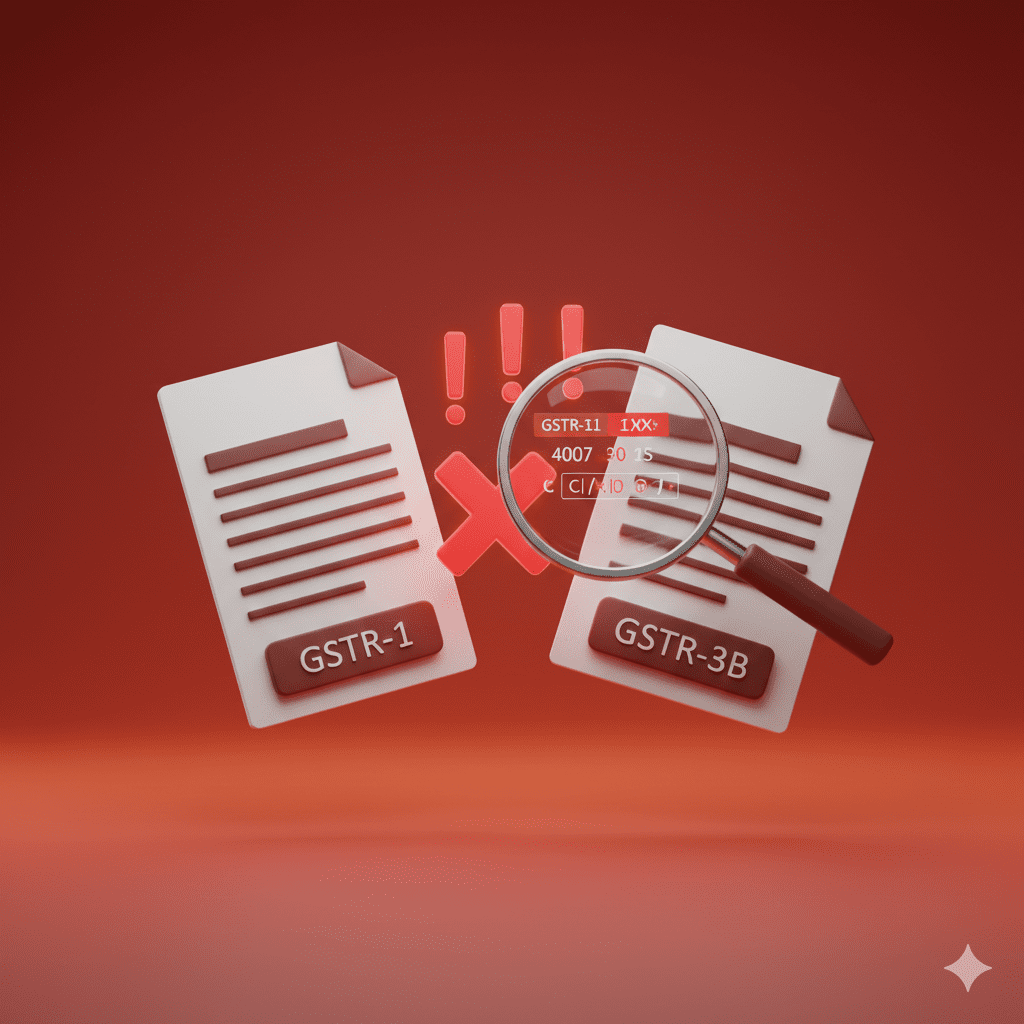
Mismatches in GSTR-1 and GSTR-3B
-
Notices demanding tax + interest + penalty
In this guide, you’ll learn:
-
HSN vs SAC: What’s the difference? (simplified)
-
Digit structure: What those 4, 6, or 8 digits actually mean
-
Step-by-step method to find any code (with examples)
-
Free tools for instant lookup
-
Common mistakes and how to avoid them
-
GST rate mapping for major product categories
Let’s decode HSN/SAC codes together—and protect your business from costly errors.
HSN VS SAC: WHAT’S THE DIFFERENCE?
Before finding codes, understand what you’re looking for.
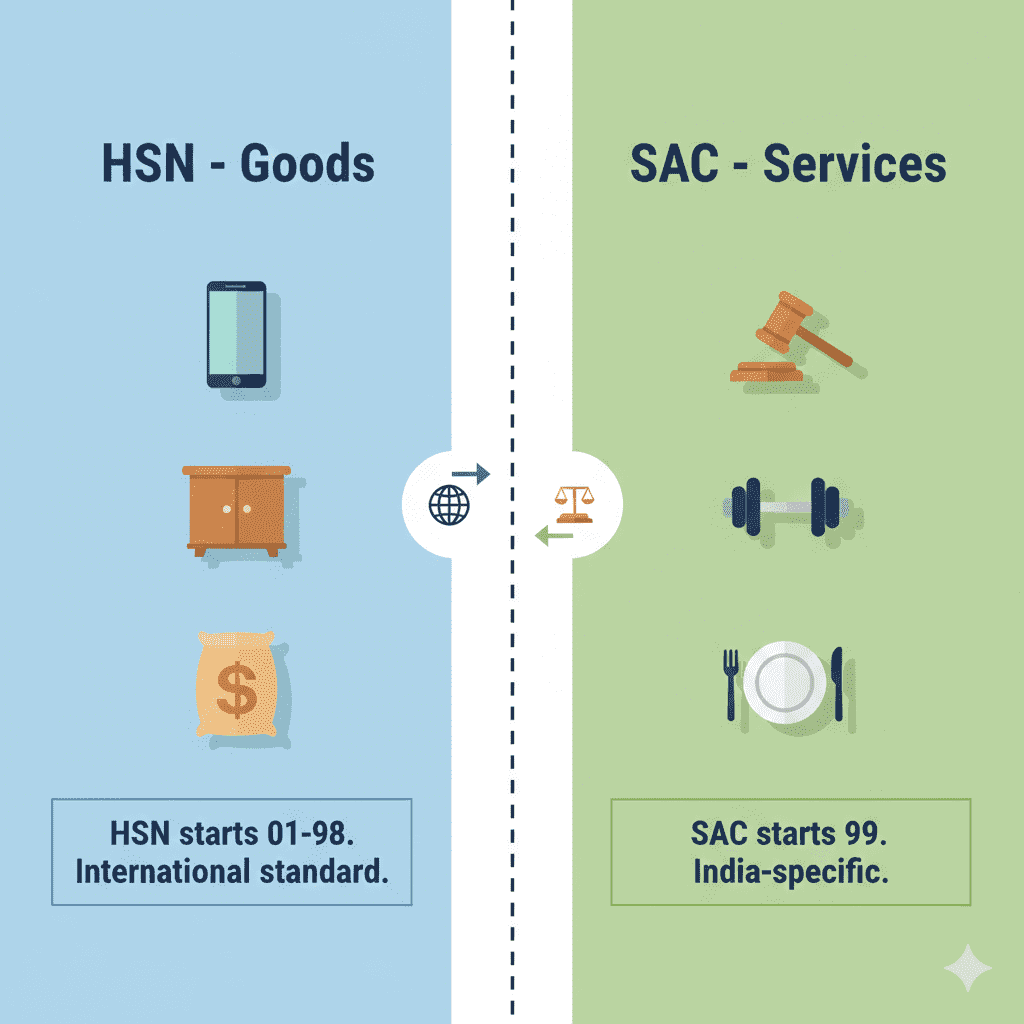
HSN (Harmonized System of Nomenclature)
For Goods (Products)
-
Developed by World Customs Organization
-
Used by 200+ countries
-
21 sections, 99 chapters, over 12,000 codes
-
First 6 digits are international; next digits are country-specific
SAC (Service Accounting Codes)
For Services
-
Developed by India for GST
-
Based on UN Central Product Classification
-
20+ chapters, 500+ codes
-
All codes start with “99” (section for services)
Quick Comparison
| Aspect | HSN (Goods) | SAC (Services) |
|---|---|---|
| Applies to | Physical products | Services, work contracts |
| Code Format | 4, 6, or 8 digits | Usually 6-8 digits |
| First Digits | 01-98 (chapters) | 99 (always starts with 99) |
| International | Yes (first 6 digits) | India-specific |
| Example | 1006 (Rice) | 9983 (Business services) |
*Source: CBIC GST Tariff *
Simple Rule: If it’s a physical item you can touch → HSN. If it’s work done, expertise, or experience → SAC.
HSN/SAC CODE STRUCTURE DECODED
Understanding what those digits mean helps you verify if you’re in the right ballpark.
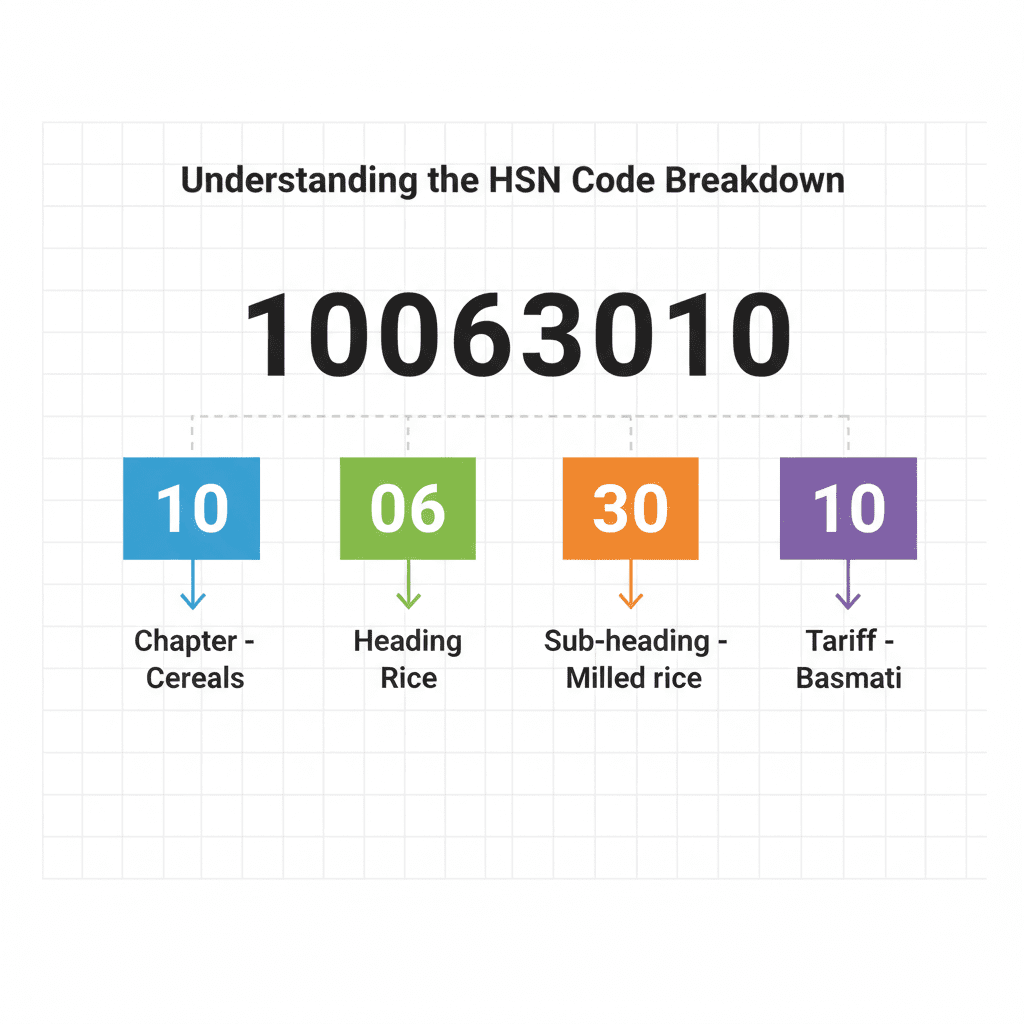
HSN Code Structure (8 Digits)
| Digits | What They Represent | Example: 1006 30 10 |
|---|---|---|
| 1-2 | Chapter (broad category) | 10 = Cereals |
| 3-4 | Heading (specific product group) | 06 = Rice |
| 5-6 | Sub-heading (international standard) | 30 = Semi-milled/wholly milled rice |
| 7-8 | Tariff item (India-specific) | 10 = Basmati rice |
SAC Code Structure (6-8 Digits)
| Digits | What They Represent | Example: 9983 12 |
|---|---|---|
| 1-2 | Section (always 99 for services) | 99 = Services |
| 3-4 | Division (broad service category) | 83 = Business services |
| 5-6 | Group (specific service) | 12 = Legal services |
Digit Requirements by Turnover
| Annual Turnover | HSN Digits Required | SAC Digits Required |
|---|---|---|
| Up to ₹5 crore | Optional (4 digits recommended) | Optional |
| ₹5 crore – ₹10 crore | 4 digits mandatory | 4 digits recommended |
| Above ₹10 crore | 6 digits mandatory | 6 digits recommended |
| Export/Import | 8 digits mandatory | Not applicable |
*Source: Notification No. 12/2024 – Central Tax *
Pro Tip: Even if optional, always use at least 4 digits. It prevents rate errors and makes annual return filing easier.
STEP-BY-STEP GUIDE TO FIND ANY HSN/SAC CODE
Follow these steps systematically to zero in on the correct code.
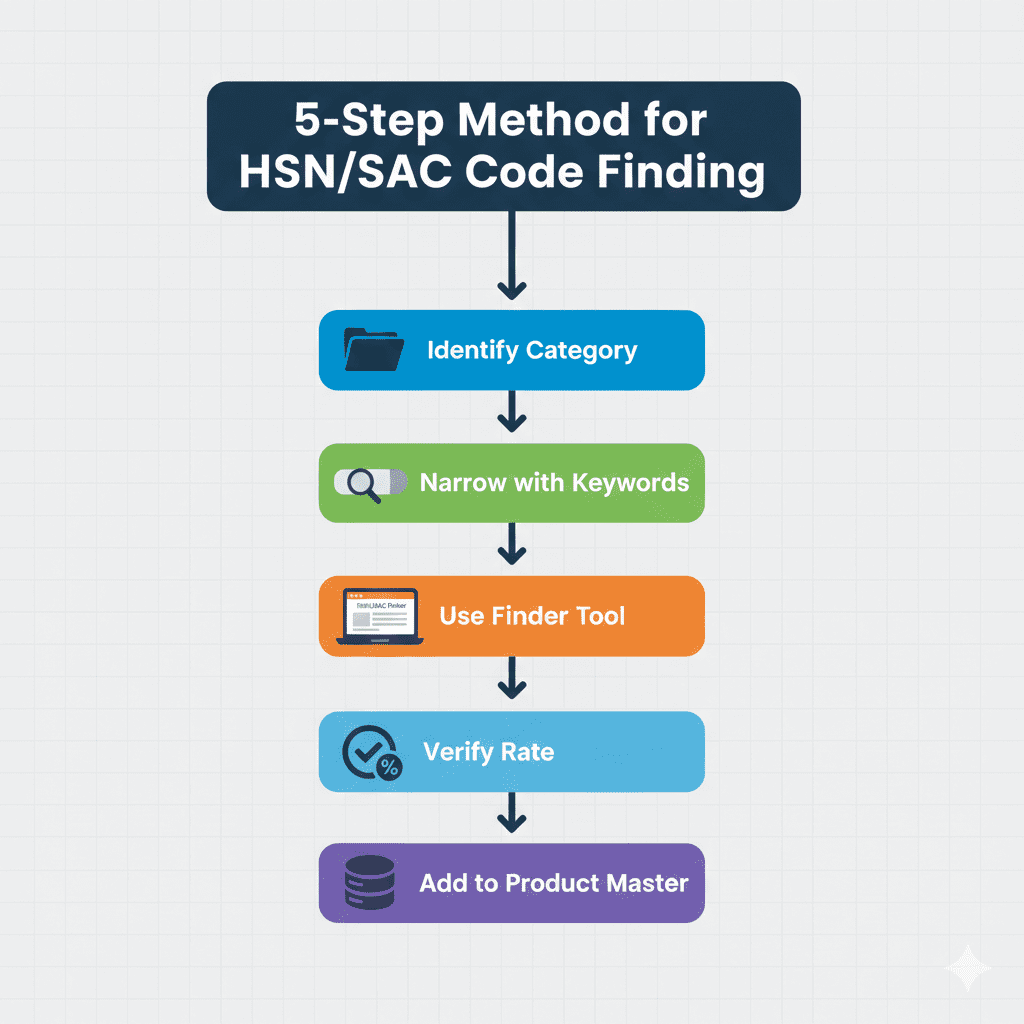
Step 1: Identify Broad Category (Chapter)
For Goods (HSN):
-
Think about the product’s nature
-
Refer to the 21 sections (e.g., Section I: Animal Products, Section VI: Chemicals)
-
Find the chapter (01-98) that fits
Common HSN Chapters:
| Chapter | Category |
|---|---|
| 01-05 | Animal products |
| 06-14 | Vegetable products |
| 15 | Fats and oils |
| 16-24 | Food preparations |
| 25-27 | Mineral products |
| 28-38 | Chemicals |
| 39-40 | Plastics and rubber |
| 41-43 | Leather |
| 50-63 | Textiles |
| 64-67 | Footwear, headgear |
| 68-70 | Stone, cement, ceramics |
| 71 | Pearls, precious stones |
| 72-83 | Metals |
| 84-85 | Machinery, electronics |
| 86-89 | Vehicles |
| 90-92 | Instruments, clocks |
| 94-96 | Furniture, toys, misc |
For Services (SAC):
-
All services start with 99
-
Next two digits: Division (broad category)
Common SAC Divisions:
| Division | Service Category |
|---|---|
| 995 | Construction services |
| 996 | Real estate services |
| 997 | Leasing/rental services |
| 998 | Business services |
| 999 | Community services |
Step 2: Narrow Down with Keywords
Use descriptive keywords:
-
For “wooden table”: furniture → wood furniture → table
-
For “website design”: business services → IT services → web design
-
For “organic honey”: vegetable products → honey → natural honey
Step 3: Use Official Tools
Method A: India Tax Tools HSN/SAC Finder (Recommended)
- Visit https://indiataxtools.com/hsn-sac-finder
- Type product/service name (e.g., “laptop,” “legal advice”)
- Get instant code + GST rate
- Download product master
Method B: GST Portal
- Log in to https://www.gst.gov.in
- Go to Services > Returns > HSN/SAC
- Use search function
- Download full HSN/SAC lists
Method C: CBIC Tariff
- Download “Indian Customs Tariff” from CBIC website
- Search manually by chapter
Step 4: Verify with GST Rate
Once you have a potential code, cross-check with GST rate:
-
Is the rate what you expect? (5%, 12%, 18%, 28%)
-
Does it match industry practice?
-
Check with trade associations if unsure
Example: If you think “ayurvedic hair oil” is 5% (medicines) but find HSN 3305 (cosmetics) with 18% rate, you likely have the wrong code.
Step 5: Consult Product Master
Create a product master in your accounting software with:
-
Product name
-
HSN/SAC code
-
GST rate
-
UQC (Unit Quantity Code)
Update annually when rate changes are announced.
REAL EXAMPLES: FINDING CODES FOR COMMON PRODUCTS
Example 1: Smartphone
| Step | Action | Result |
|---|---|---|
| 1 | Broad category | Machinery/Electronics (Chapter 84-85) |
| 2 | Think: Phones are “telecommunications equipment” | Chapter 85 (Electrical machinery) |
| 3 | Search “mobile phone” | Heading 8517 (Telephones) |
| 4 | Specific | 8517 12 (Smartphones) |
| 5 | Verify GST rate | 18% (correct) |
Correct Code: 851712
Example 2: Basmati Rice
| Step | Action | Result |
|---|---|---|
| 1 | Broad category | Vegetable products (Chapter 06-14) |
| 2 | Rice is cereals | Chapter 10 (Cereals) |
| 3 | Rice heading | 1006 |
| 4 | Semi-milled/wholly milled | 1006 30 |
| 5 | Basmati (India-specific) | 1006 30 10 |
Correct Code: 10063010
Example 3: Chartered Accountant Services
| Step | Action | Result |
|---|---|---|
| 1 | All services start with 99 | 99 |
| 2 | Professional services | Division 99 (Business services) |
| 3 | Legal/accounting services | Group 9983 (Legal/accounting) |
| 4 | Accounting services | 9983 12 (Accounting services) |
Correct Code: 998312
Example 4: Gym Membership
| Step | Action | Result |
|---|---|---|
| 1 | Services start with 99 | 99 |
| 2 | Recreation services | Division 99 |
| 3 | Sports/recreation | Group 9995 (Recreation services) |
| 4 | Gym services | 9995 19 |
Correct Code: 999519
HSN/SAC AND GST RATES – WHAT YOU MUST KNOW
The code determines the tax rate. Here’s the current structure for 2026.
GST Rate Structure by HSN/SAC
| GST Rate | Typical Products/Services |
|---|---|
| 0% (Nil) | Unprocessed food grains, fresh vegetables, milk, eggs, books, newspapers |
| 5% | Packed food items, sugar, tea, coffee, edible oils, coal, fertilizers, small restaurants |
| 12% | Processed food, butter, cheese, ghee, ayurvedic medicines, computers, mobile phones |
| 18% | Most goods (IT services, AC restaurants, telecom, financial services, cosmetics, furniture) |
| 28% | Luxury goods (cars, tobacco, aerated drinks, cement, high-end appliances) |
Rate Changes in 2026 (Key Updates)
| Product Category | Old Rate | New Rate (2026) |
|---|---|---|
| Pre-packaged food items | 5% | 12% (if branded) |
| Electric vehicles batteries | 12% | 5% |
| Solar panels | 12% | 5% |
| Online gaming services | 18% | 28% |
| Hotel rooms (>₹7,500) | 18% | 28% |
*Source: GST Council 52nd Meeting *
How to Check Rate for Your Code
- Find HSN/SAC using India Tax Tools Finder
- View displayed GST rate
- Cross-check with:
-
GST portal notification
-
Industry association guidance
-
CA confirmation for high-value items
-
Warning: Rates change. Always verify current rate at the time of invoicing, especially in April (post-budget).
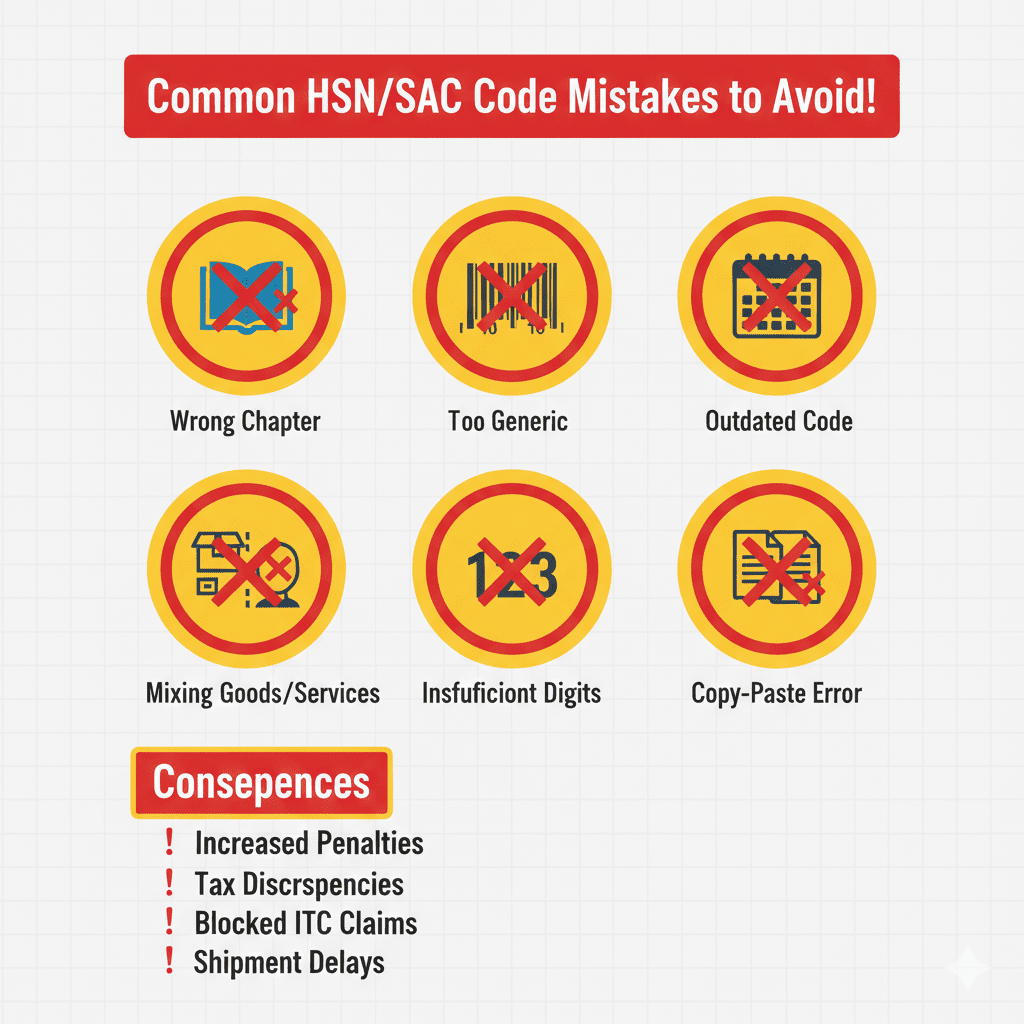
COMMON MISTAKES AND HOW TO AVOID THEM
| Mistake | Example | Consequence | Solution |
|---|---|---|---|
| Wrong chapter | Classifying “wooden furniture” under wood (Chapter 44) instead of furniture (Chapter 94) | Wrong rate, ITC denied | Think function, not material |
| Too generic | Using “9983” for all business services | Rate wrong for sub-category | Use 6-digit codes |
| Ignoring updates | Using 2024 rates in 2026 | Short payment + interest | Update product master annually |
| Mixing goods and services | Consulting + software under same code | Mismatch in returns | Separate HSN and SAC |
| Insufficient digits | Using 4 digits when 6 required (turnover >₹10cr) | Penalty | Check turnover thresholds |
| Copy-paste errors | Using competitor’s code without verification | Wrong product mapped | Verify each product |
| Not documenting | No product master | Inconsistent codes | Maintain master list |
Real Case Study
A Gujarat-based textile exporter used HSN 5208 (cotton fabric) for all cotton products—including made-ups like bedsheets. Bedsheets should be HSN 6302 (textile made-ups). Result:
-
Wrong rate (5% vs 12% for made-ups)
-
₹8.4 lakh tax demand
-
₹1.5 lakh interest
-
Customer ITC denied → lost contract
Lesson: Specificity matters. Bedsheets aren’t fabric—they’re made-ups.
TOOLS FOR HSN/SAC CODE FINDING
Manual searching is error-prone. Use these tools.
India Tax Tools HSN/SAC Code Finder
Features:
-
Search by name (Hindi or English)
-
Instant results with code and rate
-
Auto-suggest as you type
-
Downloadable product master
-
100% free – no registration
-
Mobile-friendly – use on phone
-
Updated for 2026 rates
Try it now: https://indiataxtools.com/hsn-sac-finder
Other India Tax Tools for GST Compliance
| Tool | Purpose | Link |
|---|---|---|
| GST Calculator | Calculate tax inclusive/exclusive | GST Calculator |
| Invoice Generator | Create GST-compliant invoices | Invoice Generator |
| GSTIN Verification | Verify customer GSTIN | GSTIN Verify |
| GST Return Reconciliation | Match invoices with returns | GST Reconciliation |
GST Portal Official Tools
-
HSN/SAC search (login required)
-
Download full HSN/SAC lists (Excel)
-
Rate notification database
FREQUENTLY ASKED QUESTIONS
Q1: What is the difference between HSN and SAC?
HSN is for goods (products you can touch). SAC is for services (work done, expertise). HSN codes start with 01-98; SAC codes always start with 99 .
Q2: How many digits of HSN/SAC are mandatory?
| Turnover | HSN Digits | SAC Digits |
|---|---|---|
| Up to ₹5 crore | Optional (4 recommended) | Optional |
| ₹5-10 crore | 4 mandatory | 4 recommended |
| Above ₹10 crore | 6 mandatory | 6 recommended |
| Exports | 8 mandatory | Not applicable |
Q3: Where can I find HSN/SAC codes for free?
Use India Tax Tools HSN/SAC Finder for instant lookup. Also available on GST portal (login required) and CBIC website.
Q4: What if I use the wrong HSN code?
Consequences:
-
Wrong tax rate → short/excess payment
-
Interest @18% on short payment
-
Penalty up to ₹10,000 per invoice
-
ITC denied to customers
-
Mismatch notices from department
Q5: Can I use the same HSN code for similar products?
Only if they fall under the same sub-heading. For example, different smartphone models can use same 851712. But smartphone and charger? Different codes (charger is 8504).
Q6: Does HSN code determine GST rate?
Yes. Each HSN/SAC code maps to a specific GST rate (0%, 5%, 12%, 18%, 28%). However, some codes may have multiple rates based on product variants—check notifications.
Q7: How often are HSN/SAC codes updated?
Internationally, HSN is updated every 5 years. India-specific changes happen annually through Finance Act and GST Council decisions. Always check at start of financial year.
Q8: What is UQC in GST?
UQC = Unit Quantity Code. It’s the unit of measurement (kg, meter, piece, etc.) used with HSN codes. Must be mentioned on invoices. Common UQCs: KGS (kg), MTR (meter), NOS (numbers), LTR (litre).
Q9: Do I need HSN code for exports?
Yes. For exports, you need 8-digit HSN (Indian Tariff Code) for customs clearance. This matches with ITC (HS) codes used by importing countries.
Q10: Can I use HSN/SAC code from competitor’s invoice?
You can, but verify it first. Competitors may have errors. Always cross-check with official finder tools.
ACTIONABLE CHECKLIST: MASTER YOUR HSN/SAC CODES
Initial Setup
-
List all products and services you sell
-
Find correct HSN/SAC for each using India Tax Tools Finder
-
Verify GST rate matches current notifications
-
Create product master in accounting software with:
-
Product name
-
HSN/SAC code
-
GST rate
-
UQC
-
-
Train staff on using correct codes
Monthly Checks
-
Verify codes on all new invoices
-
Check if any new products added – assign codes
-
Review customer rejections (if any) for code issues
Annual Updates (April)
-
Check GST Council notifications for rate changes
-
Update product master with any revised codes/rates
-
Test a few invoices to ensure correct application
-
Review HSN digit requirements based on last year’s turnover
Audit Preparation
-
Run HSN-wise sales summary from accounting software
-
Verify totals match GSTR-1 (Table 12)
-
Ensure HSN summary has required digits
-
Keep product master ready for departmental queries
CONCLUSION: GET IT RIGHT, STAY COMPLIANT
Finding the correct HSN/SAC code isn’t just about filling a box on an invoice. It’s about:
-
Paying the right tax (no more, no less)
-
Enabling ITC for your customers (keeping them happy)
-
Avoiding notices (peace of mind)
-
Smooth exports (correct classification)
The system seems complex, but with the right approach—and the right tools—it becomes routine:
- Understand the structure (chapters, headings, sub-headings)
- Search systematically (broad to narrow)
- Verify with rate (does it match expectations?)
- Document everything (product master)
- Update annually (rates change)
Your Next Steps
-
Bookmark this guide for reference
-
Try India Tax Tools HSN/SAC Finder for all your products
-
Create your product master this week
-
Share with your team – ensure everyone uses correct codes
-
If unsure, consult your industry association or CA
Remember: Every correct code is a step toward stress-free GST compliance. Start today.
“In GST, your HSN code is your product’s identity card. Get it right, and you sail through compliance. Get it wrong, and you’re in for a world of notices.”
Disclaimer: This article is for informational purposes only and does not constitute professional tax advice. HSN/SAC codes, GST rates, and classification rules are subject to change based on GST Council decisions and government notifications. Please consult a qualified Chartered Accountant or GST practitioner for advice tailored to your specific business circumstances. The information provided is based on GST rules and updates available as of February 2026.