
TDS Return Filing Online 2026: Process & How to Avoid Common Errors
 India Tax ToolsFebruary 24, 20269 Mins read34
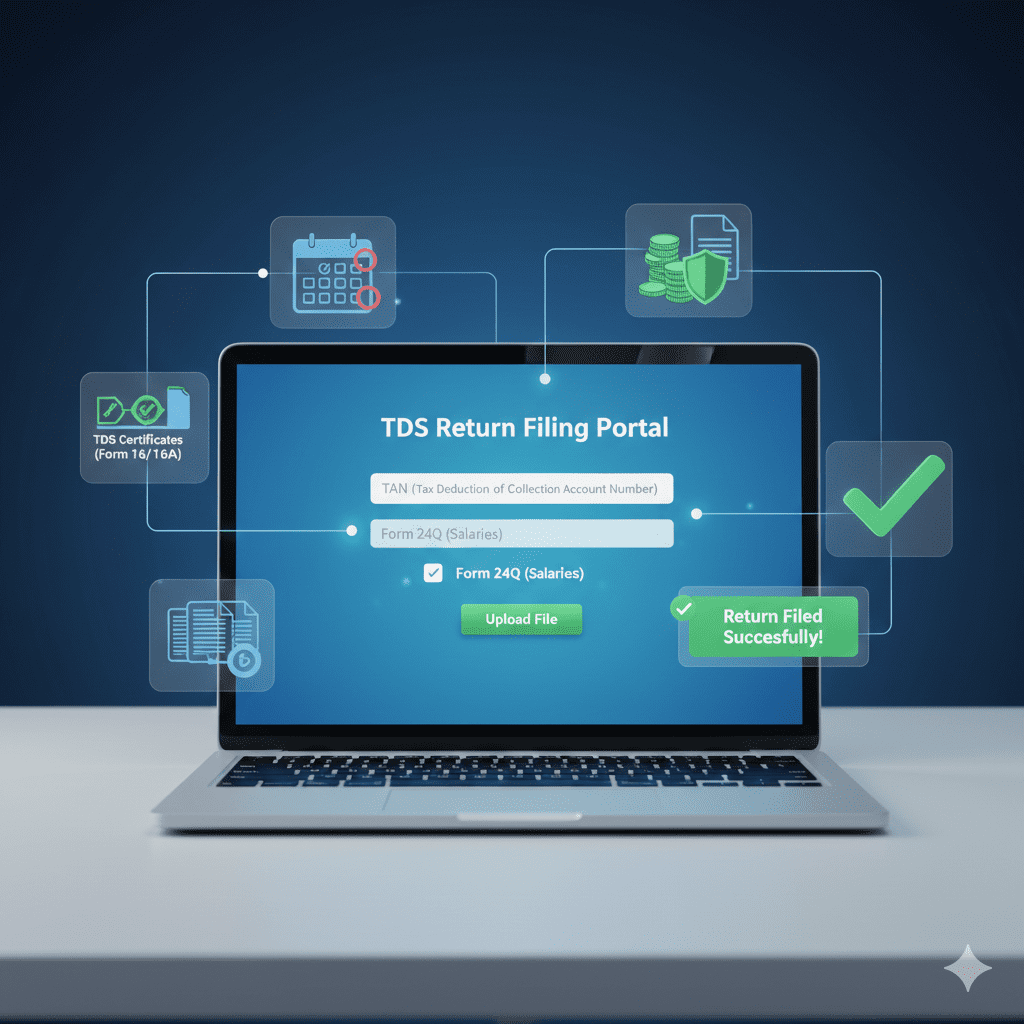
Meet Rajesh, who runs a small manufacturing business in Pune. He deducts TDS on salaries, contractor payments, and rent. Last quarter, he filed his TDS return late by just 3 days—and received a notice for ₹12,000 in late fees under Section 234E. Then there’s Priya, an HR manager in Bangalore, who struggled for weeks to get her Form 16A corrected because her CA had entered the wrong TAN in the TDS return.
If you’re responsible for TDS compliance—as a business owner, accountant, or HR professional—TDS return filing is a critical monthly/quarterly task. A single error can lead to:
-
Late fees: ₹200 per day under Section 234E (no upper limit)
-
Interest: 1.5% per month on delayed tax deposit
-
Disallowance of expense: Under Section 40(a)(ia) in your income tax return
-
Notices: From Income Tax Department
-
Angry vendors/employees: Who can’t claim TDS credit in their returns
The good news: TDS return filing is now largely online, with clear processes and validation checks. In this comprehensive 2026 guide, you’ll discover:
-
Which TDS forms to use for different payments
-
Step-by-step online filing process (with screenshots)
-
Due dates for deposit and return filing
-
7 most common TDS errors and how to avoid them
-
How to reconcile with Form 26AS
-
Penalties for non-compliance
-
Practical checklists for error-free filing
Let’s master TDS returns—so you never face a penalty again.
WHAT IS TDS AND TDS RETURN?
What is TDS?
Tax Deducted at Source (TDS) is a mechanism where the payer deducts tax at the time of making specified payments (salary, interest, rent, professional fees, etc.) and deposits it with the government. The person receiving the payment gets credit for this tax in their income tax return (through Form 26AS).
What is TDS Return?
A TDS return is a quarterly statement filed by the deductor (person deducting TDS) containing details of:
-
TDS deducted
-
TDS deposited
-
TDS challan information
-
Deductee details (PAN, amount paid, tax deducted)
Types of TDS Returns (Forms)
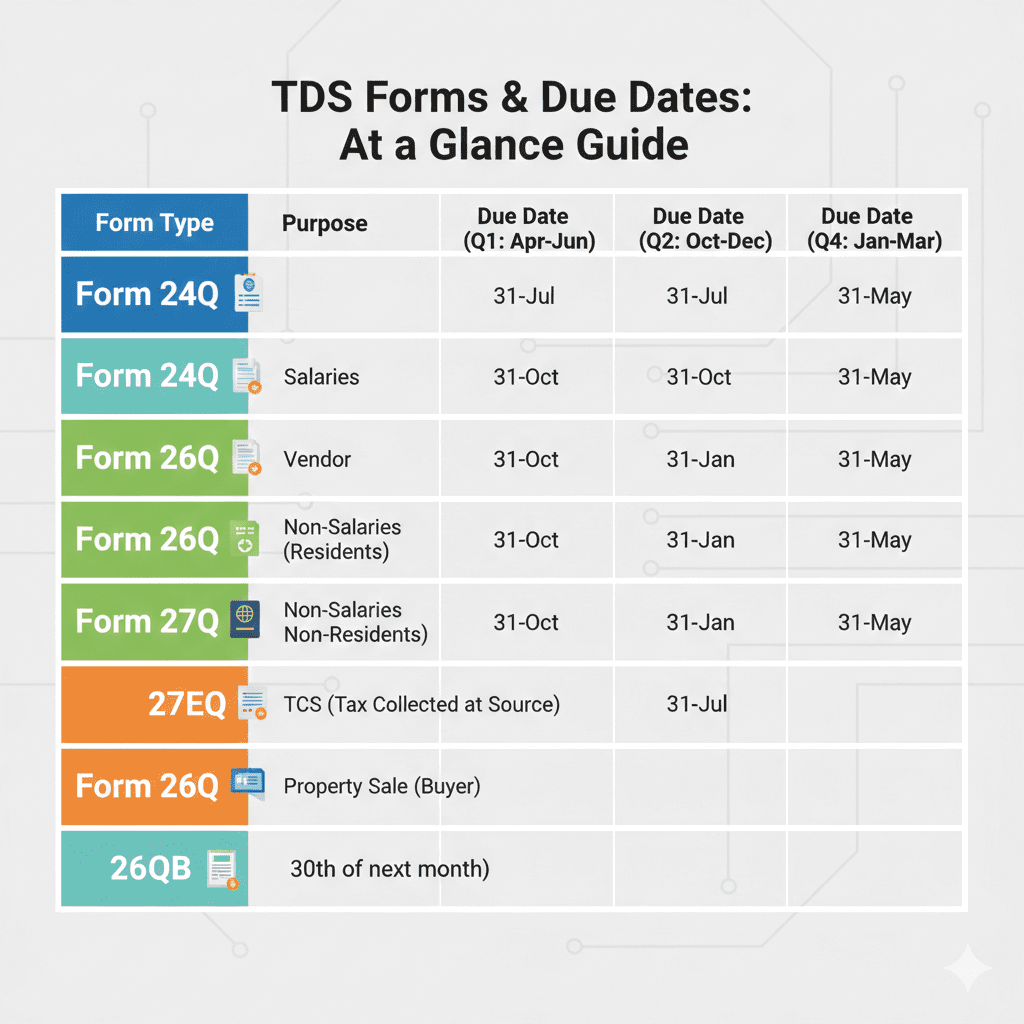
| Form | Purpose | Due Date (Quarterly) |
|---|---|---|
| Form 24Q | TDS on Salary | 31st July, 31st Oct, 31st Jan, 31st May |
| Form 26Q | TDS on all payments except salary | Same as above |
| Form 27Q | TDS on payments to non-residents | Same as above |
| Form 27EQ | TCS (Tax Collected at Source) | Same as above |
| Form 26QB | TDS on sale of property (individual) | 30 days from end of month of deduction |
| Form 26QC | TDS on rent (individual) | 30 days from end of month of deduction |
*Source: Income Tax Rules *
Who Must File TDS Returns?
| Deductor Type | Must File? |
|---|---|
| Company | Yes (all TDS deductions) |
| Firm/LLP | Yes (if liable for tax audit or TDS deducted) |
| Individual/HUF | Yes (if liable for tax audit or TDS deducted) |
| Government office | Yes |
| Any person deducting TDS | Yes (even once) |
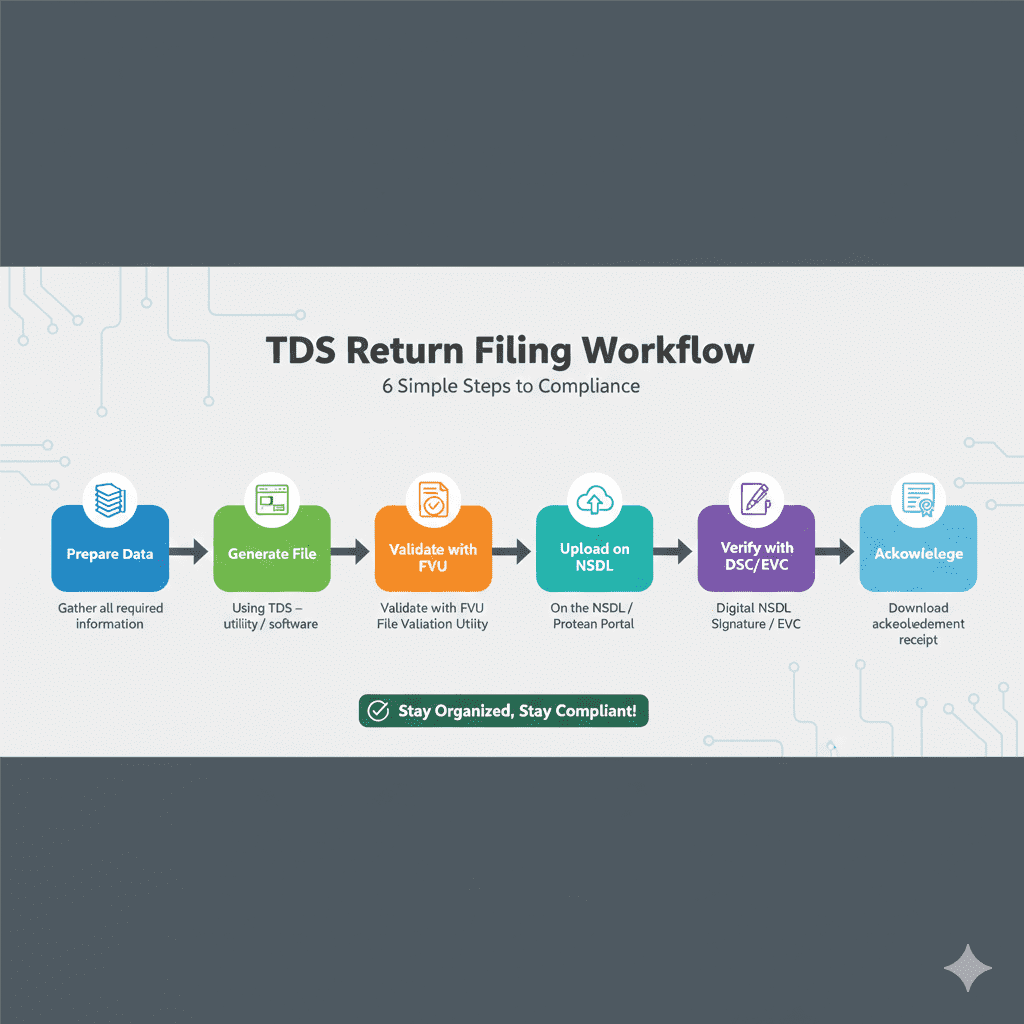
TDS RETURN FILING PROCESS: STEP-BY-STEP
Step 1: Obtain Required Registrations
Before filing, ensure you have:
-
TAN (Tax Deduction Account Number) – mandatory for all deductors
-
TIN-FC (TIN Facilitation Centre) login or TRACES login
-
DSC (Digital Signature Certificate) for companies and firms (optional for individuals)
Step 2: Prepare TDS Statement (File)
TDS return is filed using Form 24Q/26Q/27Q prepared in FUV (File Upload Utility) format.
Steps to prepare:
| Action | Details |
|---|---|
| Collect data | Challan details, deductee PAN, amount paid, TDS deducted |
| Use TDS software | Generate return file in NSDL-specified format |
| Validate file | Use File Validation Utility (FVU) from NSDL website |
| Fix errors | FVU highlights errors; correct before upload |
Step 3: Upload on TIN-NSDL Portal
- Visit https://tin.tin.nsdl.com/tan/index.html
- Login with TAN, user ID, password
- Select “Submit TDS Return”
- Choose form type (24Q, 26Q, etc.) and quarter
- Upload validated file (FUV format)
- System generates Token Number
Step 4: Verify and Submit
| Verification Method | Process |
|---|---|
| DSC (Digital Signature) | Use DSC of person responsible for TDS |
| EVC (Electronic Verification Code) | Through registered mobile (OTP) |
| Physical | Print, sign, send to NSDL (older method) |
Step 5: Acknowledge and Track
-
After verification, system generates Acknowledgement Number
-
Use this to track status on TRACES portal
-
TDS credit flows to deductees’ Form 26AS after processing
Step 6: Issue TDS Certificates (Form 16/16A)
| Certificate | Form | Due Date |
|---|---|---|
| Form 16 (Salary TDS) | Part of 24Q | 15th June of next year |
| Form 16A (Non-salary TDS) | Generated from TRACES | 15 days from due date of return |
TDS DUE DATES FOR FY 2025-26 (AY 2026-27)
TDS Deposit Due Dates
| Month of Deduction | Due Date for Deposit |
|---|---|
| April 2025 | 7th May 2025 |
| May 2025 | 7th June 2025 |
| June 2025 | 7th July 2025 |
| July 2025 | 7th August 2025 |
| August 2025 | 7th September 2025 |
| September 2025 | 7th October 2025 |
| October 2025 | 7th November 2025 |
| November 2025 | 7th December 2025 |
| December 2025 | 7th January 2026 |
| January 2026 | 7th February 2026 |
| February 2026 | 7th March 2026 |
| March 2026 | 30th April 2026 |
TDS Return (Statement) Due Dates
| Quarter | Period | Due Date |
|---|---|---|
| Q1 | April – June 2025 | 31st July 2025 |
| Q2 | July – September 2025 | 31st October 2025 |
| Q3 | October – December 2025 | 31st January 2026 |
| Q4 | January – March 2026 | 31st May 2026 |
Late Fees and Interest
| Penalty | Rate | Section |
|---|---|---|
| Late filing of TDS return | ₹200 per day (no upper limit) | 234E |
| Late deposit of TDS | 1.5% per month | 201(1A) |
| Non-filing of TDS return | Penalty up to ₹10,000 | 271H |
7 COMMON TDS RETURN ERRORS AND HOW TO AVOID THEM
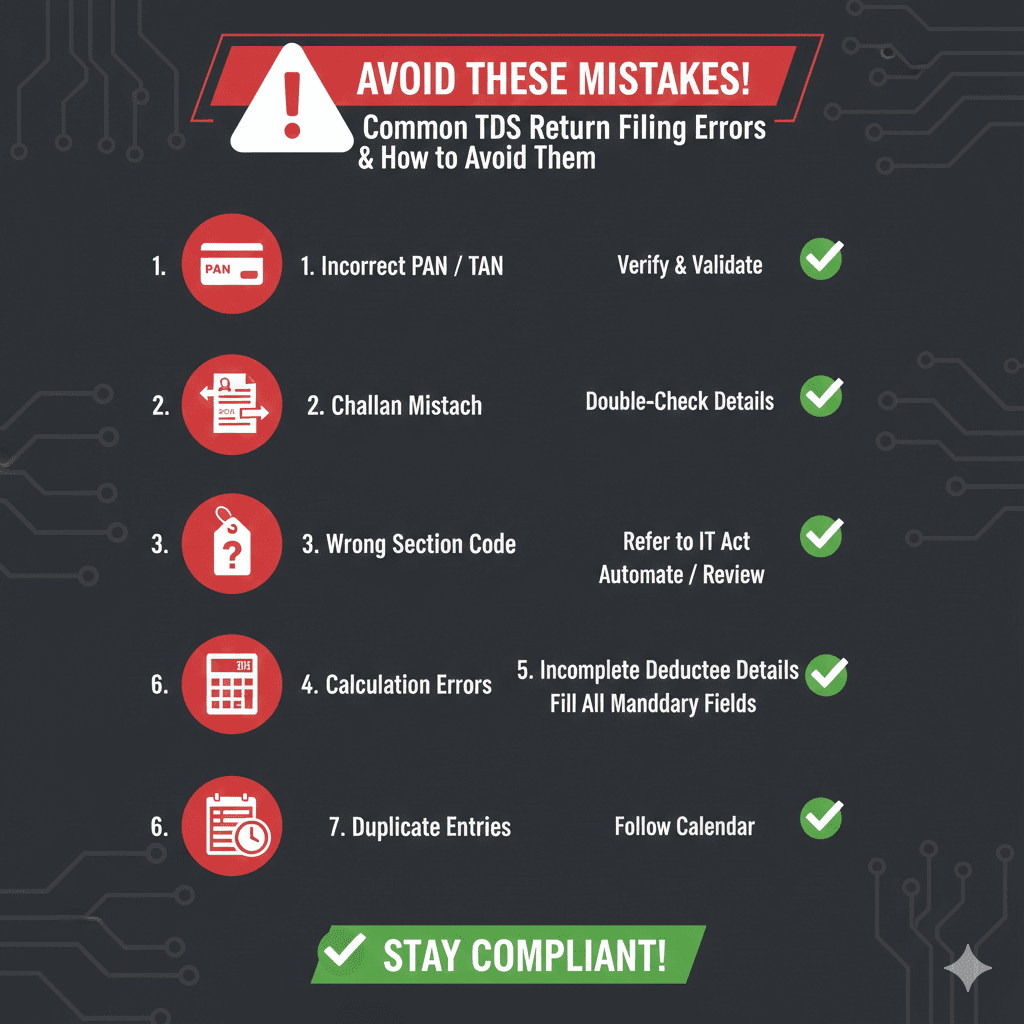
Error 1: Incorrect PAN of Deductee
| Problem | Consequence |
|---|---|
| Wrong PAN, invalid PAN, or PAN not quoted | TDS credit not reflected in deductee’s Form 26AS; disallowance of expense in your return |
How to Avoid:
-
Verify PAN from Income Tax portal before deducting TDS
-
Maintain PAN database with regular updates
Error 2: Wrong TAN
| Problem | Consequence |
|---|---|
| TAN mismatch in return | Return rejected; TDS credit not given |
How to Avoid:
-
Ensure TAN in return matches TAN on challan
-
Use correct TAN for each deduction type (if multiple)
Error 3: Mismatch in Challan Details
| Problem | Consequence |
|---|---|
| Challan amount, BSR code, challan date, or minor head wrong | TDS deposit not matched; return invalid |
How to Avoid:
-
Download challan details from TRACES before filing
-
Reconcile challan-wise TDS with return
-
Use correct minor heads (200 for TDS, 400 for TCS)
Error 4: Incorrect Section Code
| Problem | Consequence |
|---|---|
| Using Section 194C instead of 194J for professional fees | Wrong TDS rate applied; short deduction |
How to Avoid:
-
Know correct TDS section for each payment type
-
Refer to TDS rate chart (updated for 2026)
Error 5: Wrong Amount or Tax Rate
| Problem | Consequence |
|---|---|
| Wrong payment amount or tax calculation | Short deduction leads to interest; excess leads to disputes |
How to Avoid:
-
Calculate TDS accurately using updated rates
-
Apply correct threshold limits
-
Use TDS software with auto-calculation
Error 6: Missing or Incorrect Deductee Details
| Problem | Consequence |
|---|---|
| Address, contact, or type of deductee wrong | Return validation fails |
How to Avoid:
-
Collect complete details before payment
-
Use standard formats
-
Validate with FVU before upload
Error 7: Late Filing or Deposit
| Problem | Consequence |
|---|---|
| Missed due date | Late fee ₹200/day + interest |
How to Avoid:
-
Set calendar reminders (7th for deposit, quarterly due dates)
-
File even if nil TDS (NIL return)
TDS RECONCILIATION WITH FORM 26AS AND TRACES
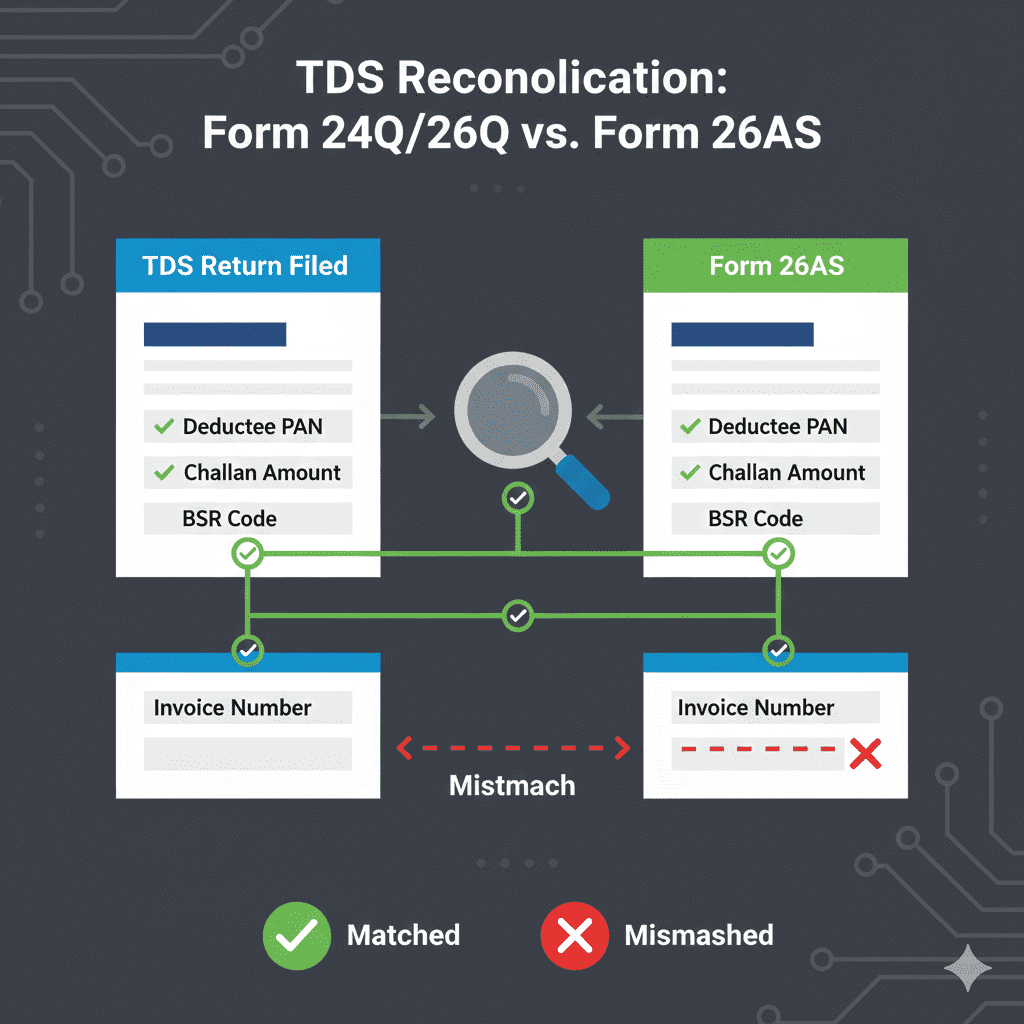
Why Reconciliation is Critical
| Issue | Impact |
|---|---|
| TDS deducted but not reflecting in 26AS | Deductee can’t claim credit; you may face notice |
| Excess TDS shown | Tax paid but not credited |
| Mismatch in challan details | Return processing delayed |
Reconciliation Process
| Step | Action |
|---|---|
| 1 | Download Form 26AS from TRACES portal |
| 2 | Download TDS return statement (filed) |
| 3 | Match challan-wise: Challan amount, BSR code, date, minor head |
| 4 | Match deductee-wise: PAN, amount, TDS |
| 5 | Identify mismatches (short, excess, missing) |
| 6 | File correction return for mismatches |
Using TRACES for Reconciliation
| TRACES Feature | Purpose |
|---|---|
| Form 26AS | View TDS credited to deductees |
| TDS Defaults Report | Identify short deductions |
| Challan Status | Verify tax deposit |
| Correction Request | File revised TDS return |
Correction Return Process
| Situation | Action |
|---|---|
| Wrong PAN | File correction with correct PAN |
| Wrong amount | File correction with revised figures |
| Missing challan | First deposit tax, then file correction |
| Wrong section | Correct in next quarter or file revision |
TDS CERTIFICATES: FORM 16 AND FORM 16A
Form 16 (Salary TDS)
| Particulars | Details |
|---|---|
| Issued to | Employees |
| Part A | TDS details from employer’s TAN |
| Part B | Salary breakup, deductions, tax computation |
| Due Date | 15th June of next financial year |
Form 16A (Non-Salary TDS)
| Particulars | Details |
|---|---|
| Issued to | Contractors, professionals, landlords, etc. |
| Contains | PAN of deductee, amount paid, TDS deducted, challan details |
| Due Date | 15 days from due date of TDS return |
| Generation | Download from TRACES portal |
How to Generate Form 16A from TRACES
| Step | Action |
|---|---|
| 1 | Login to TRACES |
| 2 | Go to “Downloads” → “Form 16A” |
| 3 | Select quarter and financial year |
| 4 | Generate and download PDF |
| 5 | Provide to deductees |
FREQUENTLY ASKED QUESTIONS
Q1: What is the due date for TDS return filing?
TDS returns (24Q, 26Q, 27Q) are due quarterly:
-
Q1 (Apr-Jun): 31st July
-
Q2 (Jul-Sep): 31st October
-
Q3 (Oct-Dec): 31st January
-
Q4 (Jan-Mar): 31st May
Q2: What is the penalty for late TDS return filing?
Late fee under Section 234E is ₹200 per day for each day of delay. There is no upper limit—it accumulates until the return is filed .
Q3: Can I file TDS return without TAN?
No. TAN is mandatory for filing TDS return. Apply for TAN online before deducting TDS.
Q4: What is the difference between Form 24Q and 26Q?
-
Form 24Q: For TDS on salary payments
-
Form 26Q: For TDS on all non-salary payments (rent, contractor, professional fees, interest, etc.)
Q5: How do I correct a mistake in filed TDS return?
File a correction return through the TIN-NSDL portal. You can correct:
-
Deductee details (PAN, name, amount)
-
Challan details
-
Section codes
Correction can be filed within time limits.
Q6: What is Form 16A and how to get it?
Form 16A is the TDS certificate for non-salary TDS. It is generated from the TRACES portal after TDS return is processed. Provide it to deductees for claiming TDS credit.
Q7: Is TDS return required if no TDS deducted?
If you have a TAN, you must file NIL TDS return even if no deduction happened in a quarter. This indicates no liability.
Q8: How do I check if my TDS return is processed?
Check status on TRACES portal using your TAN and acknowledgment number. Processed returns reflect in Form 26AS of deductees.
Q9: What is the interest for late deposit of TDS?
Interest under Section 201(1A) is 1.5% per month on the amount of tax deducted but not deposited on time.
Q10: Can TDS return be filed offline?
Returns are prepared offline (using FVU) but must be uploaded online on the TIN-NSDL portal. Physical submission is not accepted (except for certain government deductors).
ACTIONABLE CHECKLIST: ERROR-FREE TDS RETURN FILING
Before Deducting TDS
-
Obtain valid TAN
-
Verify PAN of all deductees
-
Know correct TDS section and rate for each payment type
-
Set up accounting system to track TDS
At Time of Payment
-
Deduct TDS at correct rate
-
Generate TDS challan (using ITNS 281)
-
Deposit TDS by 7th of next month (or 30th April for March)
-
Record challan details (BSR code, date, challan number)
Before Filing Return
-
Collect all payment and TDS data for the quarter
-
Reconcile total TDS deducted with challan deposits
-
Validate return file using FVU (latest version)
-
Check for common errors:
-
PAN of deductees valid?
-
Challan details correct?
-
Section codes correct?
-
Amounts match?
-
During Filing
-
Upload on TIN-NSDL portal
-
Verify using DSC or EVC
-
Note acknowledgment number
-
Download filed return copy
After Filing
-
Reconcile with Form 26AS (after processing)
-
Generate Form 16A from TRACES for deductees
-
Issue certificates within 15 days of due date
-
Maintain records for 6 years
Tools to Help
-
Use India Tax Tools’ TDS Calculator for accurate TDS computation
-
PAN Verification Tool to validate deductee PAN
-
Due Date Tracker for deposit and return deadlines
-
TDS Return Reconciliation Tool to match with Form 26AS
REAL CASE STUDY: HOW A BUSINESS SAVED ₹1.2 LAKH BY AVOIDING ERRORS
Profile: ABC Constructions, Pune – civil contractor with 50+ vendors and 120 employees
Annual TDS deducted: ~₹85 lakh
Before Systematization (2024)
| Issue | Frequency | Consequence |
|---|---|---|
| Wrong PAN of vendors | 8-10 per quarter | TDS credit not reflected; angry vendors |
| Late deposit (March) | Every year | Interest under 201(1A) |
| Challan mismatch | 2-3 per quarter | Return corrections |
| Late filing | Once in Q3 2024 | ₹18,000 late fee |
Annual cost of errors: ~₹85,000 (late fees + interest + correction effort)
After Implementing System (2025-26)
| Measure | Implementation |
|---|---|
| PAN verification | Use online tool before adding vendor |
| Automated reminders | 5-day alerts before 7th and quarterly due dates |
| TDS software | Integrated with accounting; auto-calculates |
| Monthly reconciliation | Match challans with TDS deducted |
| Pre-validation | FVU check before upload |
Result (2026)
| Metric | 2024 | 2026 |
|---|---|---|
| Late fees | ₹38,000 | ₹0 |
| Interest | ₹22,000 | ₹0 |
| Correction returns | 8 | 1 (minor) |
| Vendor complaints | 12 | 0 |
| Total cost | ~₹85,000 | ₹0 |
“Systematizing TDS compliance saved us not just money, but also countless hours of firefighting. Now we focus on business, not penalties.” – Mr. Sharma, Finance Head
CONCLUSION: MASTER TDS RETURNS, AVOID PENALTIES
TDS return filing is a critical compliance obligation that directly impacts your business expenses, vendor relationships, and tax liability. A single error can cascade into penalties, interest, and disallowances.
But with the right process and tools, error-free TDS compliance is achievable:
Key Takeaways
- Know your forms – 24Q for salary, 26Q for others, 27Q for non-residents
- Track deadlines – Deposit by 7th, file quarterly returns on time
- Validate PAN – Every deductee, every time
- Reconcile monthly – Match challans with TDS deducted
- Use FVU – Validate before upload
- File correction returns – If errors occur, correct promptly
- Issue certificates – Form 16/16A to deductees on time
Your Next Steps
-
Set up reminders for 7th and quarterly due dates
-
Verify all PANs in your vendor/employee database
-
Use India Tax Tools’ TDS Calculator for accurate deductions
-
Download FVU from NSDL and validate before every upload
-
Reconcile with Form 26AS after each return
-
Train your team on common errors and how to avoid them
Remember: TDS compliance isn’t just about avoiding penalties—it’s about building trust with vendors, employees, and the tax department. Get it right, every time.
“TDS compliance isn’t just about paying tax—it’s about accuracy. A wrong PAN today becomes a vendor complaint tomorrow and a tax notice next year. Verify, validate, file on time.”
Disclaimer: This article is for informational and educational purposes only. TDS rates, forms, and due dates are subject to change based on government notifications. Please consult your Chartered Accountant for advice tailored to your specific situation. The information provided is based on Budget 2026 announcements and current provisions as of February 2026.








Leave a comment