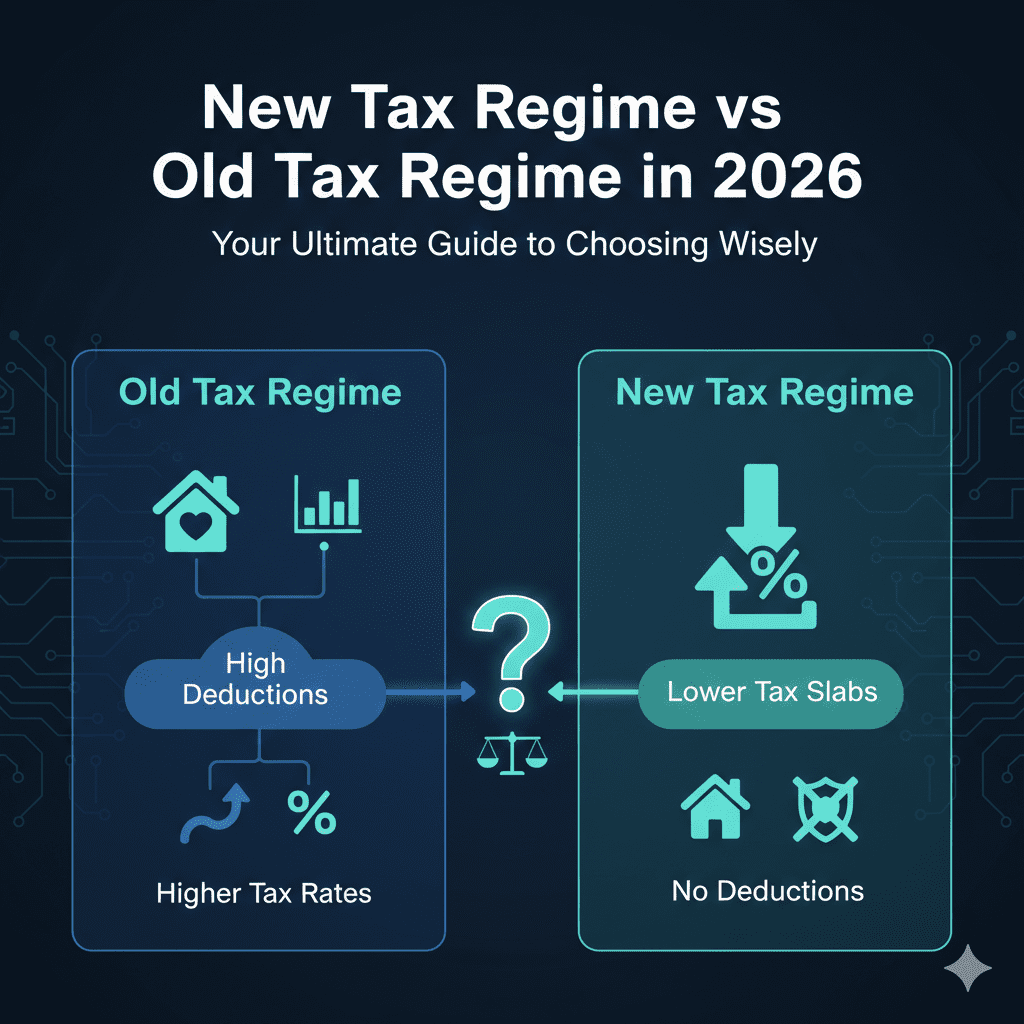

Vikram, a 28-year-old marketing professional in Bangalore. He has been working for 4 years, receives Form 16 from his employer every year, but feels a twinge of anxiety come tax season. He usually copies numbers from his Form 16 into the portal but doesn’t fully understand what they mean. He wants to be sure he’s not making mistakes that could lead to a notice from the Income Tax Department.
It’s that time of the year again. Your HR has sent that familiar email with the subject line: “Form 16 for FY 2024-25 is now available for download.” For many salaried employees, this PDF becomes the center of their financial universe for a few weeks. But did you know that a staggering number of tax notices are triggered not by tax evasion, but by simple, avoidable errors in understanding this very document?
Form 16 is more than just a ticket to file your Income Tax Return (ITR); it is your certificate of tax deducted at source (TDS) and a mirror of your salary structure for the year . Misinterpreting it can lead to mismatched data, delayed refunds, or unwanted scrutiny from the tax department. This guide is designed to take you from a passive copy-paster to an informed taxpayer. We will decode every component of Form 16, show you how to cross-verify it like a pro, and walk you through the steps to ensure your ITR filing is smooth, accurate, and stress-free.
WHAT IS FORM 16? DECODING THE BASICS
Understanding Form 16 starts with knowing its legal standing. Issued under Section 203 of the Income Tax Act, 1961, Form 16 is the official proof that your employer has deducted tax from your salary and deposited it with the government on your behalf . Think of it as a receipt for the tax paid on your salary income. It is mandatory for employers to issue this form to employees whose income is taxable. According to CBDT rules, you should ideally receive it by June 15th of the assessment year .
The Anatomy: Part A vs. Part B
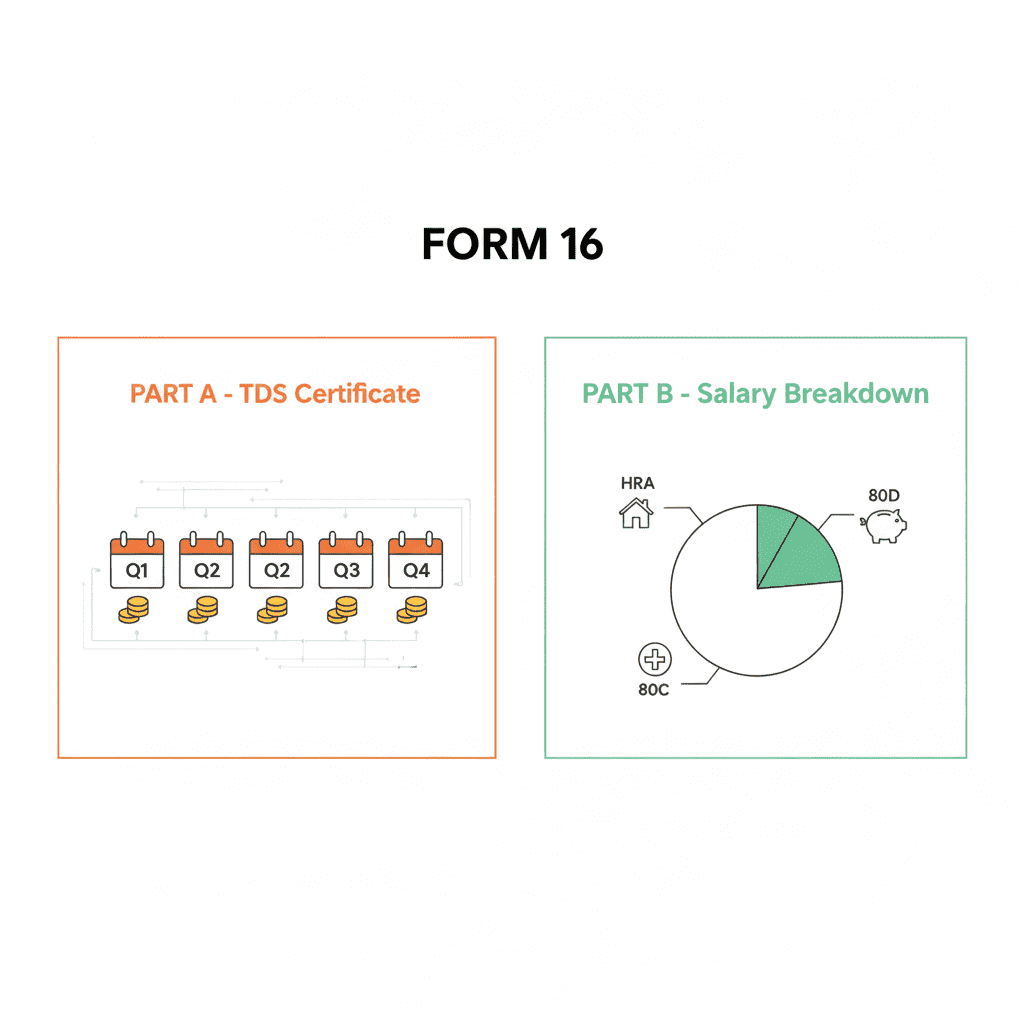
One of the first steps to understanding Form 16 is recognizing that it’s actually two documents in one. It is divided into two distinct parts, each serving a different purpose.
Form 16 Part A: The TDS Certificate
This part is generated from the TRACES portal (TDS Reconciliation Analysis and Correction System) and focuses solely on tax deduction details . It contains:
-
Employer’s Name, TAN, and PAN: Essential for identifying the deductor.
-
Employee’s Name and PAN: Verify this immediately. A mismatch in your PAN is a primary reason for TDS credits going missing .
-
Summary of Tax Deducted: It provides a quarter-wise breakdown of the tax deducted from your salary and deposited with the Central Government. This is your proof of payment.
Form 16 Part B: The Income & Computation Details
This part is prepared by your employer based on your salary structure and investment declarations. This is where the numbers for your ITR actually come from. It provides a detailed breakup of:
-
Salary Components: Gross salary, allowances (like HRA, LTA), perquisites.
-
Exemptions under Section 10: Allowances that are partially or fully exempt from tax.
-
Deductions under Chapter VI-A: This includes your investments in PPF, ELSS, LIC (Section 80C), health insurance premiums (Section 80D), and more .
-
Taxable Income and Tax Liability: The final calculation of how much tax was due on your salary and how it was computed.
WHY FORM 16 IS CRUCIAL FOR YOUR FINANCIAL HEALTH
While its primary purpose is ITR filing, understanding Form 16 unlocks benefits that extend far beyond the tax portal. Its importance can be broken down into three key areas:
For Accurate ITR Filing
Form 16 simplifies the filing process by consolidating all necessary salary and tax information in one place. It acts as a ready reckoner, allowing you to accurately populate the income and deduction fields in your ITR form . This minimizes the risk of calculation errors that can occur when compiling data from 12 different salary slips.
As Proof for Loans and Visas
When you apply for a home loan or a personal loan, banks and financial institutions ask for proof of income stability. Form 16, being a government-recognized document, serves as powerful proof of your employment and income. It assures lenders of your repayment capacity . Similarly, many embassies require Form 16 as part of the visa application process to verify your financial standing and intent to return to your home country.
For Reconciling with Government Records
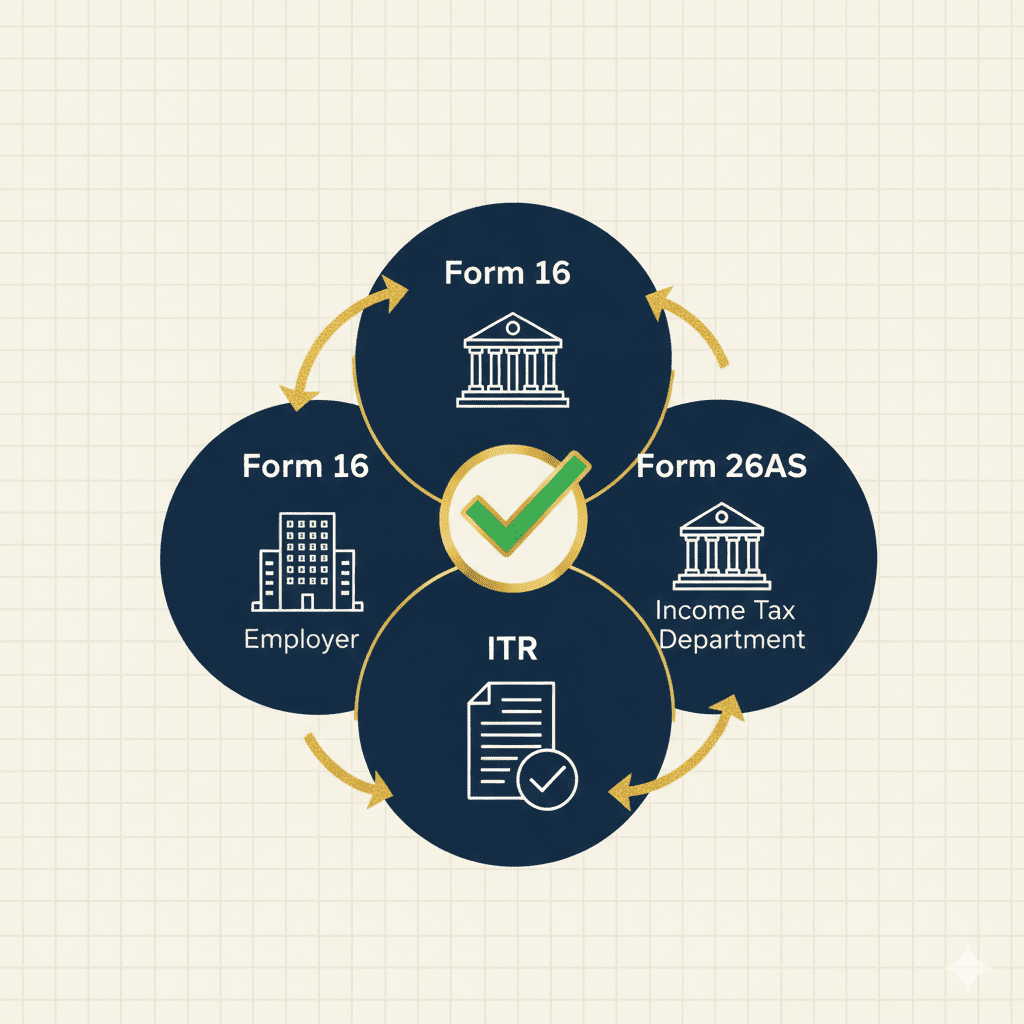
Perhaps the most critical function of Form 16 is its role in reconciliation. The TDS details in your Form 16 Part A must match the data the Income Tax Department has in its system, which is reflected in your Form 26AS and Annual Information Statement (AIS) . A mismatch here is a red flag.
Key Takeaway: Always treat Form 16 as your primary source document, but never as the final word. Its true value is unlocked only when its data aligns with the government’s own records.
THE GOLDEN RULE: CROSS-VERIFYING FORM 16 WITH FORM 26AS & AIS
If you take away only one piece of advice from this guide, let it be this: Never file your ITR based solely on Form 16. You must cross-verify it with Form 26AS and the AIS. This is the cornerstone of avoiding tax notices .
What is Form 26AS?
While Form 16 is your employer’s version of events, Form 26AS is the Income Tax Department’s ledger. It is a consolidated statement that shows all taxes paid on your PAN, including TDS from salary, TDS from banks on fixed deposits, TDS on rent (if you’re a landlord), advance tax you paid yourself, and more . You can download it directly from the income tax e-filing portal.
The Reconciliation Checklist
To ensure a hassle-free filing experience, follow this checklist diligently:
- Match Personal Details: Ensure your name and PAN are correctly spelled in both Form 16 and Form 26AS. This is non-negotiable.
- Compare TDS Amounts: Look at the total TDS amount mentioned in Part A of your Form 16. Now, check the total TDS credited against your PAN in Form 26AS for the same financial year. They must match.
- Verify Salary and Deduction Data: Cross-check the salary and deduction figures from Form 16 Part B with the data displayed in your AIS. The AIS provides a more comprehensive view of your financial transactions.
What to Do in Case of a Mismatch?
Finding a discrepancy is stressful, but it’s not the end of the world. It often happens due to delays in data uploading or errors by the deductor (your employer) .
-
Step 1: Contact Your Employer: The first and most effective step is to reach out to your employer’s payroll or HR department. A mismatch usually means they need to revise their TDS return .
-
Step 2: Request a Revised Form 16: Once your employer corrects and files a revised TDS return with the Income Tax Department, they will issue you a revised Form 16 .
-
Step 3: File Your ITR: Only file your return using the corrected Form 16 after the data in your Form 26AS has been updated. If the issue persists due to a technical glitch on the portal, file your return with the correct figures and keep your salary slips and Form 16 as supporting proof .
A STEP-BY-STEP GUIDE TO FILING ITR WITH FORM 16
Now that you have your verified Form 16 in hand, here’s how to use it to file your return on the e-filing portal.
- Log in and Select: Visit the income tax e-filing portal and log in. Navigate to ‘e-File’ > ‘Income Tax Return’ and select the relevant Assessment Year (e.g., AY 2025-26 for FY 2024-25) and the correct ITR form (usually ITR-1 or ITR-2).
- Pre-fill Data: Use the “Pre-fill” option. This will automatically pull data from Form 26AS into your ITR form.
- Manually Enter from Form 16: Go to the ‘Salary’ section. Using your Form 16 Part B, manually enter or verify the pre-filled figures for:
-
Gross Salary
-
Exempt Allowances (HRA, LTA, etc.)
-
Deductions under Section 16 (like Professional Tax)
-
Net Salary
-
- Claim Deductions: Enter all your deductions under Chapter VI-A (Section 80C, 80D, etc.) as mentioned in Part B and your investment proofs. Ensure the totals match
- Report Other Income: If you have income from other sources like savings account interest, add it here. Form 16 usually doesn’t include this, but it is taxable.
- Review and Submit: The portal will calculate your tax liability or refund based on the data entered. Compare the final “Tax Paid” summary with your Form 16 Part A and Form 26AS. If everything matches, submit the return.
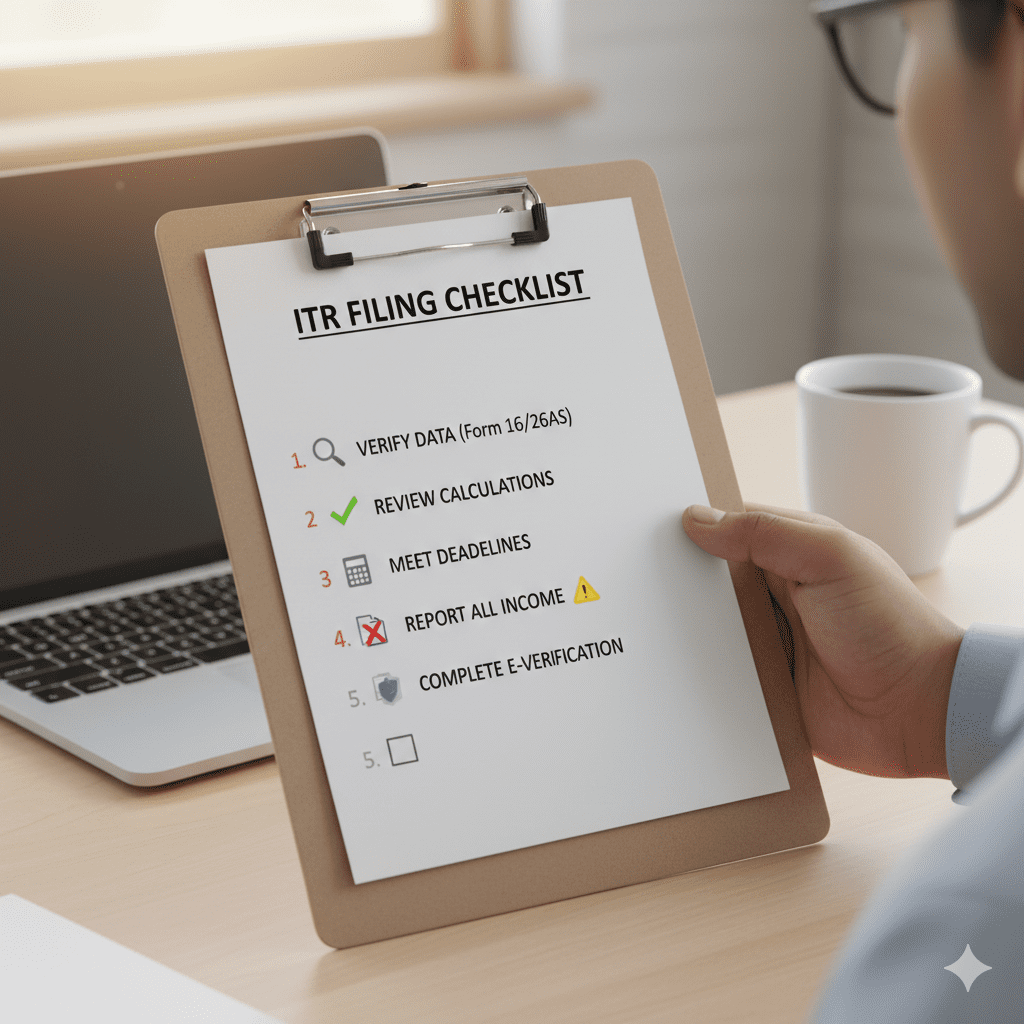
- E-Verify: This is the final, crucial step. E-verify your return using Aadhaar OTP, net banking, or other methods. Without verification, your filing is incomplete .
COMMON MISTAKES TO AVOID (AND HOW TO FIX THEM)
Even with the best intentions, errors creep in. Understanding Form 16 is also about knowing where people commonly slip up.
Mistake 1: Blindly Trusting the Pre-filled Data
The “Pre-fill” button is a miracle of modern technology, but it’s not infallible. The ITR portal pre-fills data from Form 26AS, but it may not always correctly interpret the nuances of your salary structure from Form 16, leading to discrepancies in deductions like NPS or HRA .
-
Fix: Always use Form 16 Part B as your master document to verify every single pre-filled figure, not just accept it.
Mistake 2: Ignoring Additional Income
Form 16 only covers your salary income. Many taxpayers forget to include interest from savings accounts, fixed deposits, or freelance income.
-
Fix: Check your bank statements and Form 26AS for interest income (which has TDS deducted under Section 194A) and declare it under “Income from Other Sources.”
Mistake 3: Choosing the Wrong ITR Form
Using ITR-1 (Sahaj) when you have income from capital gains or more than one house property will render your return invalid.
-
Fix: If your Form 16 shows salary income but you also sold stocks or have rental income, you likely need ITR-2. Check the eligibility criteria for each form before you begin.
Mistake 4: Not E-Verifying the Return
Filing the return is only half the job. If you don’t e-verify within 30 days, your filing is considered invalid, and you’ll have to go through the process again .
-
Fix: As soon as you submit your return, complete the e-verification process. It takes just a few seconds with Aadhaar OTP.
VISUALIZING FORM 16: A COMPARATIVE BREAKDOWN
To further aid in understanding Form 16, let’s look at a visual representation of its parts and how it differs from other common tax forms.
This flowchart illustrates the distinct roles of Part A (TDS Certificate) and Part B (Income Details) in forming the complete Form 16.
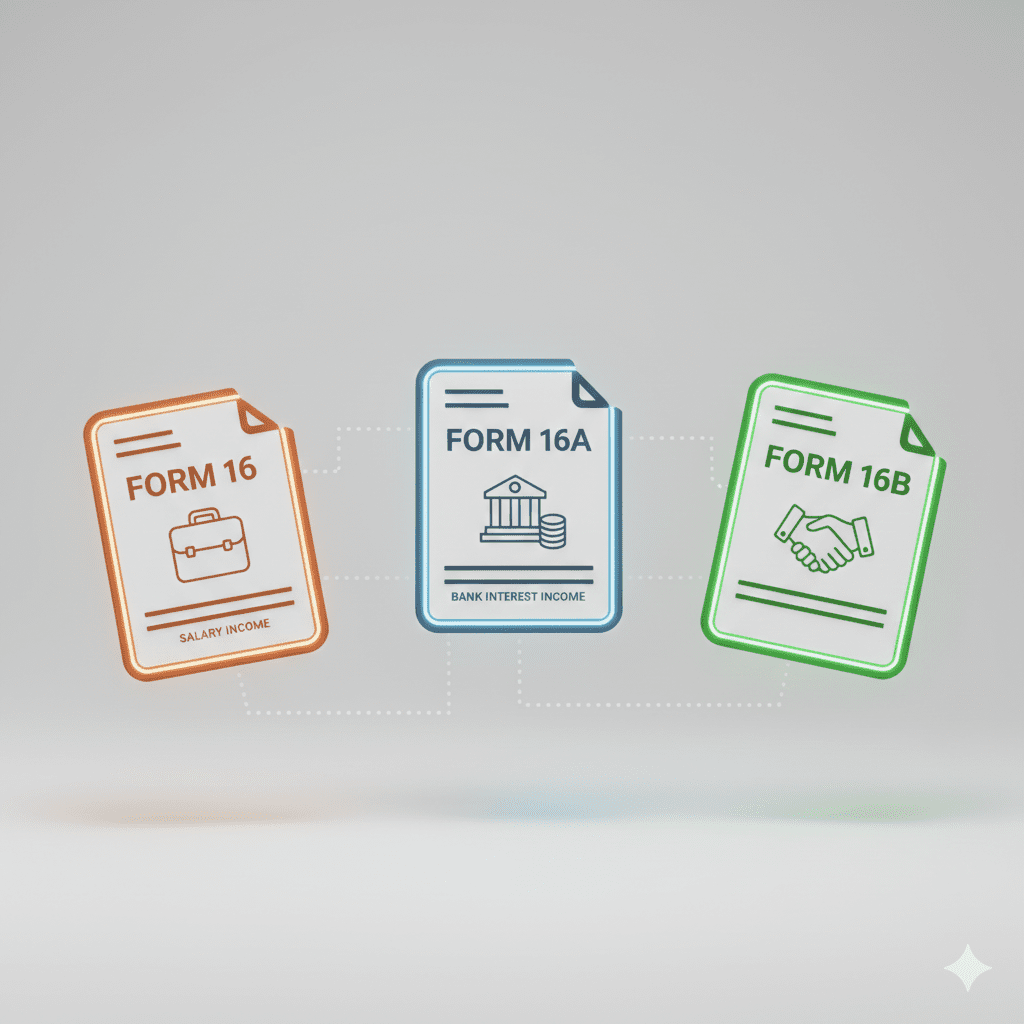
This table breaks down the specific purpose and issuer of Form 16, 16A, and 16B, clearing up a common point of confusion.
This diagram maps out the essential reconciliation process between your employer-issued Form 16 and the government’s Form 26AS to ensure error-free filing.
FREQUENTLY ASKED QUESTIONS (FAQ)
Q1: I haven’t received my Form 16 yet. Can I still file my ITR?
Yes, absolutely. You can file your ITR even without Form 16. You will need to use your salary slips for the full year (12 months) to calculate your gross salary, exemptions, and deductions. You must also download Form 26AS from the income tax portal to get the exact TDS amount deposited against your PAN and use that for filing .
Q2: What is the penalty for incorrect TDS reporting in Form 16?
If errors in TDS reporting lead to underpayment of tax, you, as the taxpayer, are liable for interest and penalties. The Income Tax Department can levy interest under sections 234A, 234B, and 234C. In extreme cases of deliberate misreporting, penalties can be as high as 100% to 300% of the tax underpaid .
Q3: What is the difference between Form 16 and Form 16A?
Form 16 is specifically for TDS on salary income and is issued by your employer. Form 16A is a TDS certificate for all other payments, such as interest income from banks (on FDs), rent payments, or professional fees. It is issued by the person or entity that deducted the TDS (e.g., a bank or tenant) .
Q4: I changed jobs last year. I have two Form 16s. What do I do?
You must combine the income from both Form 16s. When filing your ITR, you need to enter the total gross salary from both employers, the total exemptions, and the total deductions. The TDS amount from both forms will be added together and should match the total TDS credit shown in your Form 26AS .
Q5: My Form 26AS shows a higher TDS than my Form 16. Why?
This is common. Form 26AS aggregates TDS from all sources linked to your PAN. The higher amount likely includes TDS deducted by your bank on your fixed deposit interest, which your employer would not know about and therefore wouldn’t include in your salary TDS certificate (Form 16). You must declare this interest income in your ITR to reconcile the total TDS .
CONCLUSION
Understanding Form 16 transforms it from a confusing annual requirement into a powerful financial tool. It is the foundational document that not only simplifies your tax filing but also acts as a key to unlocking loans and ensuring your financial records are in perfect harmony with the government’s. By remembering to decode both Part A and Part B, diligently cross-verify every number with your Form 26AS, and avoid the common pitfalls of blind trust and omission, you can file your returns with absolute confidence.
Tax filing doesn’t have to be a source of stress. This year, take control. Download your Form 16, open your Form 26AS, and walk through the verification steps we’ve discussed. A little effort today ensures a notice-free tomorrow and a clearer picture of your financial health. If you found this guide helpful, share it with a colleague who might still be copying and pasting without a second thought.
Disclaimer: This article is for informational purposes only and does not constitute professional tax advice. Please consult with a qualified Chartered Accountant (CA) for advice tailored to your specific situation.